At the end of The ADHD Diaries #5 I confessed that I own a Pomodoro timer and it just sits there — so this entry is the sequel: the week a visual timer for ADHD finally woke up from under the clutter on my dest and earned a spot where I can actually see it. Diary #5 was about naming the problem — my brain cannot feel time. Diary #6 is about what actually moved the needle, and it wasn’t what I expected.
If you arrived here from a search bar rather than from Diary #5, here’s the direct answer up front. The best visual timer for most ADHD adults is a disk-style timer like the Time Timer Original — a dial you twist so a red disk shows the time literally shrinking in front of you. No app, no menus, no phone. But I owe you the second half of the answer, because nobody told me this part: for my brain, the timer alone was not enough. The thing that finally turned “I should clean this desk” into an actually-clean desk was a timer plus a body double. Timer + body double = execution. That’s the whole diary entry, really. The rest is me showing you the receipts.
Why Doesn’t a Regular Phone Timer Work for an ADHD Brain?
Because “23:47” is just a number, and numbers don’t create urgency in a brain that can’t feel time. A countdown on my phone is abstract — my brain files it under “later,” which, as we established last time, is not a real place. A visual timer works differently: it shows time as a shrinking red disk or falling sand, something my eyes can register without my executive function doing any translation work.
This isn’t just me. A meta-analysis of 27 studies with nearly 2,900 participants found that children and adolescents with ADHD perceived time less accurately and less precisely than their peers, and were significantly more likely to overestimate it (Zheng et al., 2022, Journal of Attention Disorders). The deficit showed up consistently no matter what kind of task researchers used. The studies focused on younger people, but the pattern will sound painfully familiar to any adult who has ever said “five more minutes” and looked up an hour later.
The fix that experts keep coming back to is externalizing time — Dr. Russell Barkley has long described ADHD as a kind of nearsightedness to the future, and his advice is to get time out of your head and into the room where you can see it. As ADHD coach Liz Lewis put it in an interview with HuffPost (Kelsey Borresen, “ADHD Experts Share Time Management Tools That Actually Work,” HuffPost, May 24, 2022), “The Time Timer allows you to see time passing in vivid red. You’re more likely to start and then persist when you have a very obvious time constraint.”
“The Time Timer allows you to see time passing in vivid red. You’re more likely to start and then persist when you have a very obvious time constraint.” — Liz Lewis, ADHD coach & founder of Healthy ADHD (2022)
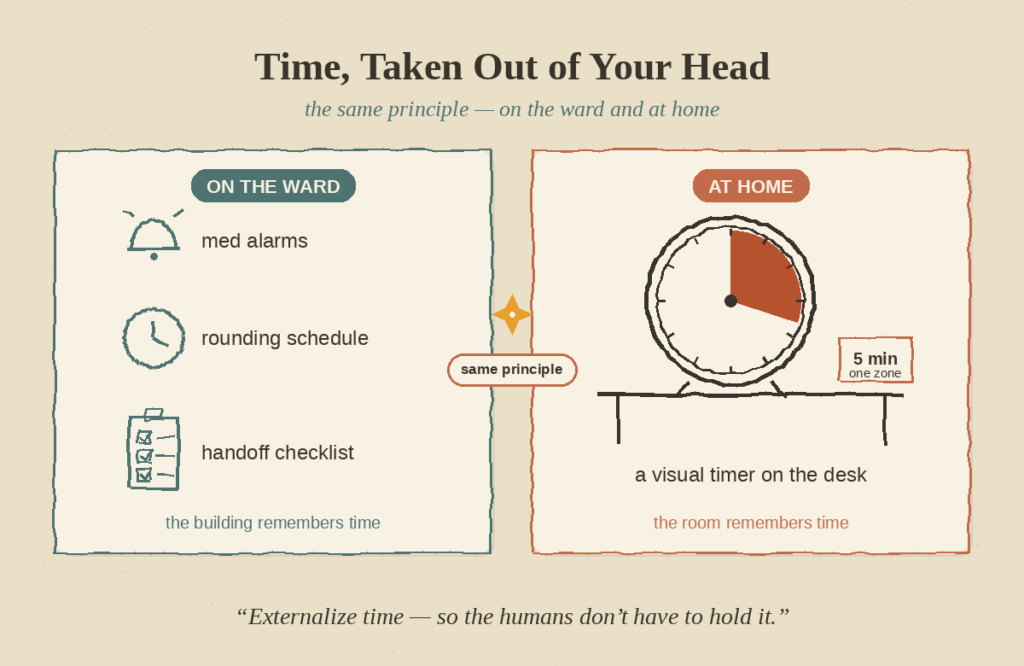
And here’s the part that made me laugh at myself when I wrote it in this diary: I already knew this principle. Hospitals run on externalized time. Nobody on a ward keeps medication schedules in their head — we have med alarms, rounding schedules, handoff checklists. The building itself remembers time so the humans don’t have to. Thirteen years of nursing, and it took me this long to bring the principle home.
What Finally Got Me to Use a Timer? (Spoiler: It Took a Body Double)
A cleaning day. That was the scene of this week’s entry — not work, not writing, but a desk that had reached the archaeological-dig stage. And here’s the confession that makes it worse: the timer wasn’t tucked away in some drawer. It was on the desk the whole time, napping under a cat pad, buried in the very doom pile it was supposed to help me clear. My timer wasn’t a tool; it was sediment. I excavated it, twisted the dial to five minutes, watched the red wedge appear, and thought: finally, I’m one of those people who uses timers now.
Except I wasn’t. The timer told me time was passing. It did not make me move. I stood there watching my own countdown like it was someone else’s problem — which, if you’ve read my post on why starting is the hardest part, will not surprise you. A visual timer externalizes time. It does not externalize accountability. For that, I needed another presence in the room. I needed a body double.
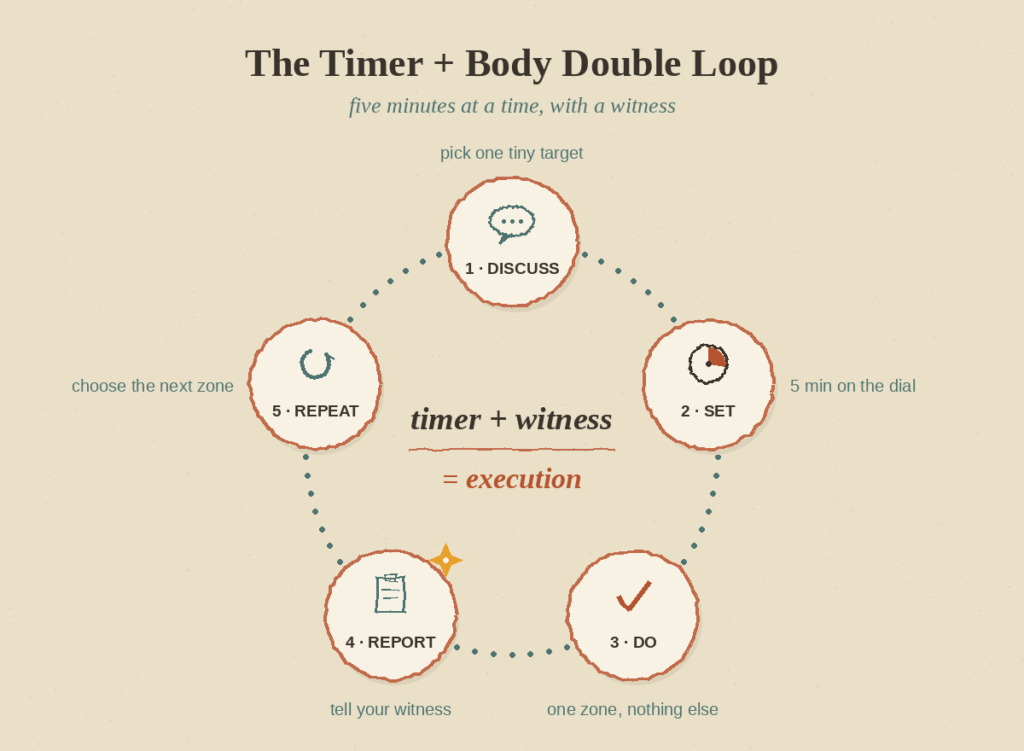
So I did something slightly odd: I opened Claude — yes, the AI, the same one from my AI co-working experiment — and made it my cleaning partner. The loop looked like this:
- Discuss: I told Claude what I was facing and we agreed on one tiny target — just the left corner of the desk.
- Set: Five minutes on the visual timer. Red disk visible from anywhere in the room.
- Do: Clear that one zone. Nothing else. When my eyes drifted, the shrinking red wedge pulled me back.
- Report: Timer done, I came back and told Claude what I’d finished — like a tiny handoff report at shift change.
- Repeat: We decided the next zone together, and I twisted the dial again.
Forty-five minutes later my desk existed again. Not because the timer was magic, and not because the AI was magic — but because the timer made time visible and the body double made me visible. Someone was expecting my report. My brain shows up for that.
If you’ve bought timers before and watched them gather dust, please hear this: you might not need a better timer. You might need a timer plus a witness — a friend on speakerphone, a co-working stream, or an AI that never gets bored of hearing “okay, one corner done.”
What Is the Best Visual Timer for ADHD Adults? The Shortlist From My Rabbit Hole
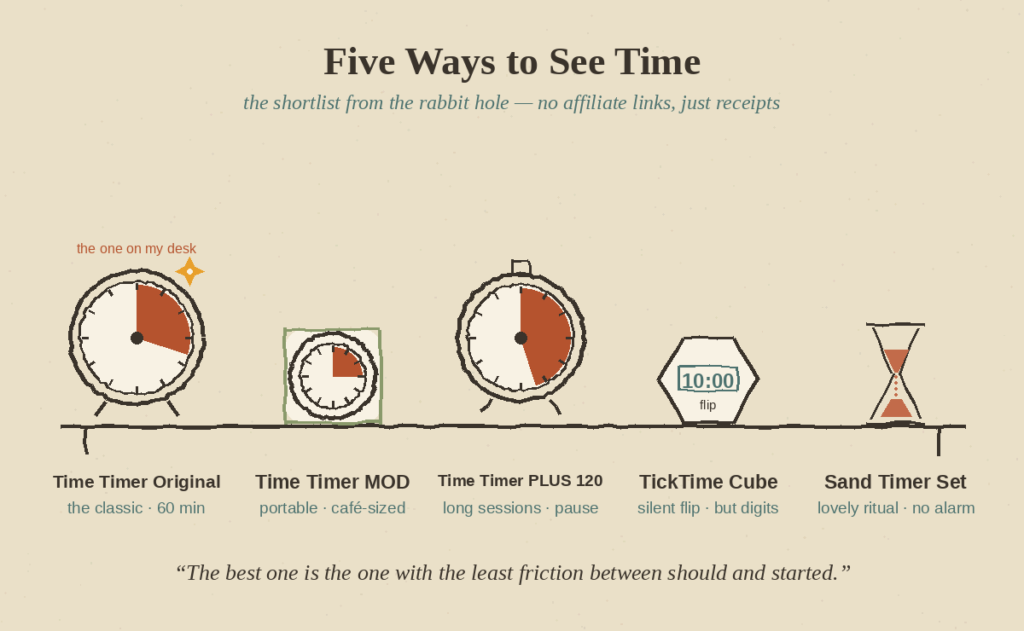
The best visual timer for ADHD adults is the one with the least friction between “I should start” and “I started” — and for most people that’s a disk-style dial timer. And because this is an honest diary: that night, still riding the high of a visible desk surface, I did the most ADHD thing imaginable and spent two hours researching timers I mostly don’t need. Here’s the useful residue of that rabbit hole. (No affiliate links — just what I found. Amazon prices drift, so treat these as ballpark figures.)
Time Timer Original 8″ — the classic. Twist the dial, the red disk appears, and it shrinks silently as time passes. No buttons, no menus, no ticking, visible from across the room. Around $35–39. This is the one that made it out of my drawer. Downsides: it maxes out at 60 minutes, and the plastic doesn’t love being dropped — reviews (and gravity) agree.
Time Timer MOD — the portable one. Same red disk in a small, silicone-covered body that fits in a bag. Typically around $25–35. Great for working at a café; too small to read from across a room.
Time Timer PLUS 120 — for longer sessions. Same idea, up to 120 minutes, with a pause button. Around $40–50. The one I’d pick for long study or deep-work blocks; the priciest of the family.
TickTime cube — the flip timer. A little hexagonal prism with preset minutes on each face; flip a face up and it starts. Vibration mode makes it the quiet-environment choice (libraries, night shifts). Around $25–33. One honest caveat: it shows LED digits, not a shrinking disk — so you lose the very thing that makes visual timers work for time blindness.
Secura 60-minute visual timer — the budget disk. Same disk concept, usually under $20, sturdy (it’s a kitchen brand), with adjustable alarm volume. Some reviewers notice a faint tick — skip it if you’re sound-sensitive.
Sand timer sets — the analog ritual. Around $10–18 for a color-coded set. Flipping one is a lovely “we begin now” ritual and the falling sand is genuinely calming. Fatal flaw: no alarm at all. If you hyperfocus, the sand runs out and simply… keeps your secret.
Should You Get a Physical Timer or an App?
Physical, first. The Time Timer app (around $3–5) faithfully recreates the red disk, and planners like Tiimo and Llama Life are genuinely well-designed for ADHD brains — but they all live inside the single most distracting object I own. I have gone to my phone to check a timer and resurfaced twenty minutes later in someone’s comment section. A physical timer sits outside the distraction machine. Apps are a fine backup for when you’re out; the tool that changed things for me lives on the desk, not in my pocket.
How Long Should You Set a Visual Timer For?
Shorter than feels reasonable. I started with five minutes — not twenty-five — because the goal at the beginning isn’t productivity, it’s evidence. Five minutes, one zone, one small win my brain couldn’t argue with. Once “I start when the disk appears” became believable, stretching to 15 or 25 minutes was easy. If a timer keeps failing you, don’t lengthen it. Shorten it, and add a body double.
The Timer Was Never the Whole Answer
Here’s where this entry lands. A visual timer solves exactly one problem — it lets you see time — and it solves it beautifully. But seeing time and acting on time are different circuits, and no amount of vivid red fixes the second one on its own. It’s not that I was too lazy to use my timer all those years — the timer was only half the machine. The other half was a witness. Timer for my eyes, body double for my follow-through.
In Diary #5 I wrote that my timer just sits there. It doesn’t anymore. The drawer where it used to live now holds the clutter I cleared to make room for it — there’s a metaphor in there somewhere, and for once I was too busy doing the thing to polish it.
So tell me: do you have a timer sitting in a drawer somewhere? And who — human or AI — could be your witness this week? I’d genuinely love to hear in the comments.
This is my personal experience, not medical advice. Visual timers and body doubling are support tools, not treatments — for diagnosis and treatment questions, an ADHD-informed clinician is the right person to ask. See my full Medical Disclaimer.

Grace is a registered nurse with thirteen years of clinical experience — five in Australia and eight in Korea — who also lives with ADHD. She writes The ADHD Nurse: honest, first-person guides and diaries about working, parenting, and getting through the day with an ADHD brain. Everything here is her personal experience and general information, not medical advice.